
An efficient command line/terminal interface to add cards to Anki
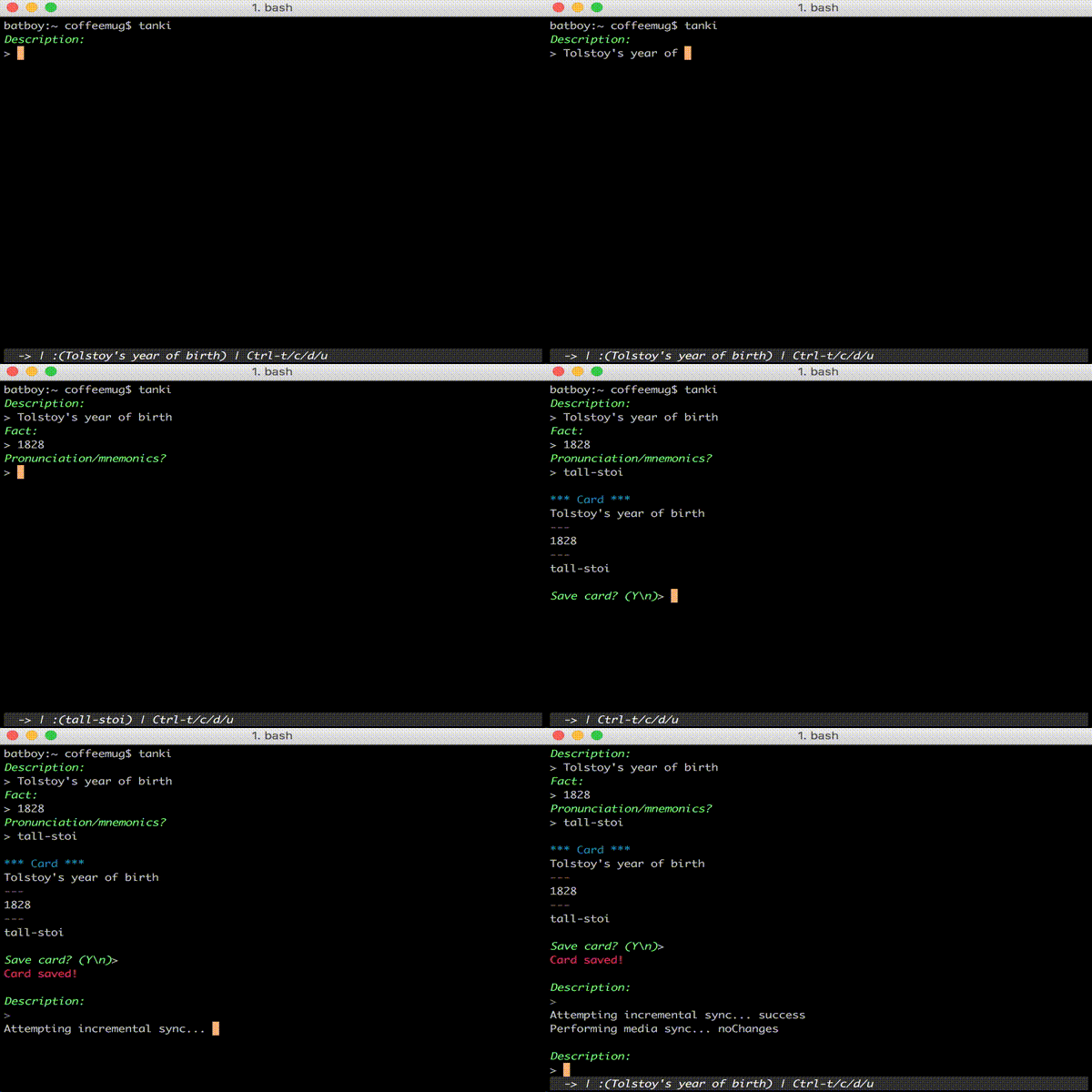
Ctrl-t- toggle mode (->is a one way card,<->two way card,[ ]cloze deletion)Ctrl-d- drop the current card and start from scratchCtrl-u- sync with the serverCtrl-c- quit
When in <-> (two way) mode:
Ctrl-hto toggle label to be added to fields<h>for[concept handle],<w>for[word], or<->for no label
When on Pronunciation/mnemonics steps:
Ctrl-ito enter image search mode. This mode integrates with google images to quickly find images for mnemonics to add them to the card. Requires iTerm (for images support in the terminal).- When done with image mode, hit
Ctrl-iagain.
Currently the program depends on note types that don't exist in Anki
proper (I cloned some in Anki to have a nicer layout). You can reverse
engineer the fields from the code (see concept.py, jeopardy.py,
and quote.py).
I plan to add code that does this setup, but for now, sorry!